When it comes to off-grid living, understanding Starlink Mini DC power efficiency is super important. This little device can connect you to the internet from just about anywhere, but it’s vital to know how much power it draws so you can keep everything running smoothly.
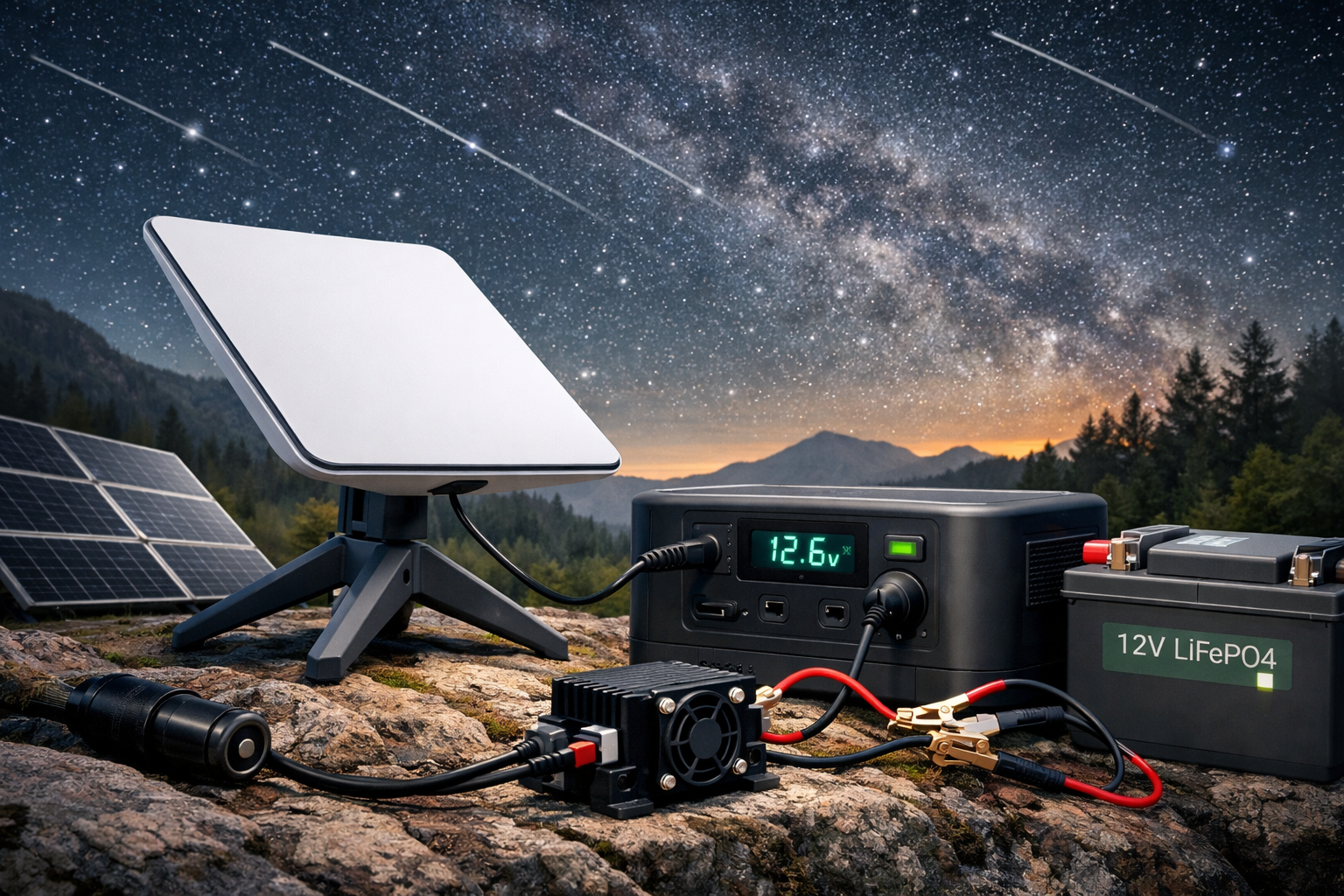
The Starlink Mini satellite terminal is designed to work with a DC power supply. This can be a game changer if you’re relying on solar panels or batteries. On average, it uses around 50 to 60 watts while actively in use. That’s pretty efficient for a satellite internet system! If you’re powering it with solar, it won't drain your batteries too fast, provided you have enough capacity and a good sunny day.
Keeping an eye on your Starlink Mini DC power efficiency means you can optimize your setup. You can pair it with a portable battery or a solar generator. A system that provides around 100Ah should give you ample juice to run the Starlink Mini, especially used in combination with other low-power devices.
Another tip is to monitor your usage patterns. The Starlink Mini won’t be active all the time. It sometimes goes into a sleep mode when not in use, which significantly reduces its power consumption. This means that knowing when you need it on can help you save energy. That’s where a smart setup really shines!
Getting Started with Starlink Mini Setup
Getting started with your Starlink Mini setup can feel a bit overwhelming, but it doesn’t have to be. Follow these simple steps to get your system up and running quickly. First, make sure you have all the necessary parts out of the box. You’ll have the Starlink dish, the Wi-Fi router, and a power supply. Check for any additional cables that might be included.
Next, find a good spot for your Starlink dish. It needs a clear view of the sky to connect to satellites. Look for an area that’s elevated and free from trees or buildings. Once you’ve found the perfect spot, mount the dish securely. Use the easy-to-follow instructions included in the setup guide.
Now, it’s time to connect everything. Plug in the power supply to the dish and connect it to the router. Switch everything on and give it a moment to boot up. You’ll see lights on the router indicating it’s working. If you’re using it off-grid, ensure you’re set up for Starlink Mini DC power efficiency. This system optimizes power usage, making it great for solar setups.
After everything’s connected, grab your phone or computer and look for the Starlink network. Connect and follow the prompts to finalize your setup. You should be online in no time! With these steps, you'll enjoy reliable internet access while maximizing Starlink Mini DC power efficiency for your off-grid lifestyle.
Boosting Efficiency of Your Starlink Mini
If you want to make the most out of your Starlink Mini, focusing on Starlink Mini DC power efficiency is key. The right setup can help you get faster speeds and better performance, all while using less energy.
Start by ensuring your power source is solid. If you’re using batteries, go for ones that are designed for high efficiency. Lithium batteries often provide a longer lifespan and better overall performance than traditional lead-acid options. Check the battery specs to match their output to your Starlink Mini’s needs.
Next, consider adding a solar panel setup if you’re off-grid. A solar panel can keep your system running seamlessly while harnessing the sun's energy. Pairing your Starlink Mini with a decent solar system not only boosts DC power efficiency but also cuts down on energy costs in the long run.
Monitoring your power consumption is another smart move. Use a power meter to track how much energy your Starlink Mini uses versus how much you supply. This gives you a clearer picture of your setup's efficiency and helps you make adjustments for improved performance.
Tips for Optimizing Your Starlink Mini Power
Getting the most out of your Starlink system is all about optimizing that Starlink Mini DC power efficiency. Here are some practical tips to help you stretch every bit of power to meet your needs.
First, consider the placement of your Starlink dish. Make sure it's in an open area with a clear line of sight to the sky. Any obstructions can cause signal loss, meaning your system might draw more power trying to maintain a connection. Choose a spot that keeps the dish safe from trees, buildings, and other hurdles.
Next, check your power connections. Loose cables can waste energy, so ensure everything is connected snugly. If you’re using extensions or adapters, make sure they're rated for the right voltage. Mismatched components can hurt that Starlink Mini DC power efficiency.
Lastly, keep an eye on your network usage. Not every device connected to your Starlink has to be online all the time. Disconnect unused devices to minimize power draw. Regularly reboot your system, too; this can help maintain peak performance and efficiency.
When it comes to off-grid living, understanding Starlink Mini DC power efficiency is super important. This little device can connect you to the internet from just about anywhere, but it’s vital to know how much power it draws so you can keep everything running smoothly.
The Starlink Mini satellite terminal is designed to work with a DC power supply. This can be a game changer if you’re relying on solar panels or batteries. On average, it uses around 50 to 60 watts while actively in use. That’s pretty efficient for a satellite internet system! If you’re powering it with solar, it won't drain your batteries too fast, provided you have enough capacity and a good sunny day.
Keeping an eye on your Starlink Mini DC power efficiency means you can optimize your setup. You can pair it with a portable battery or a solar generator. A system that provides around 100Ah should give you ample juice to run the Starlink Mini, especially used in combination with other low-power devices.
Another tip is to monitor your usage patterns. The Starlink Mini won’t be active all the time. It sometimes goes into a sleep mode when not in use, which significantly reduces its power consumption. This means that knowing when you need it on can help you save energy. That’s where a smart setup really shines!
Getting Started with Starlink Mini Setup
Getting started with your Starlink Mini setup can feel a bit overwhelming, but it doesn’t have to be. Follow these simple steps to get your system up and running quickly. First, make sure you have all the necessary parts out of the box. You’ll have the Starlink dish, the Wi-Fi router, and a power supply. Check for any additional cables that might be included.
Next, find a good spot for your Starlink dish. It needs a clear view of the sky to connect to satellites. Look for an area that’s elevated and free from trees or buildings. Once you’ve found the perfect spot, mount the dish securely. Use the easy-to-follow instructions included in the setup guide.
Now, it’s time to connect everything. Plug in the power supply to the dish and connect it to the router. Switch everything on and give it a moment to boot up. You’ll see lights on the router indicating it’s working. If you’re using it off-grid, ensure you’re set up for Starlink Mini DC power efficiency. This system optimizes power usage, making it great for solar setups.
After everything’s connected, grab your phone or computer and look for the Starlink network. Connect and follow the prompts to finalize your setup. You should be online in no time! With these steps, you'll enjoy reliable internet access while maximizing Starlink Mini DC power efficiency for your off-grid lifestyle.
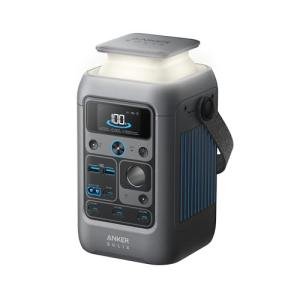
Anker SOLIX C300 Portable 288Wh Power Station
Power your adventures with this compact and efficient portable power station designed for off-grid living
Product information
$249.99 $169.99
Product Review Score
4.09 out of 5 stars
177 reviewsProduct links
For digital nomads, every watt counts. The Anker SOLIX C300 DC is specifically engineered to solve the Starlink Mini power problem. While traditional batteries waste energy running a large AC inverter, the C300 DC offers a native 140W USB-C PD output that perfectly matches the Starlink Mini’s requirements. Because it avoids the energy-draining 'inverter-loss,' this compact powerhouse can run your satellite internet for up to 20% longer than batteries twice its size. It’s the lightest, most efficient way to stay connected in the most remote corners of the world.
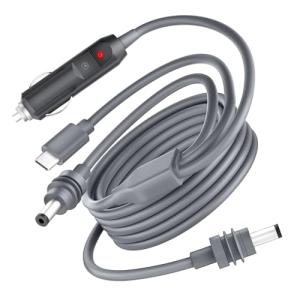
Starlink Mini USB C to DC Power Cable
Power your Starlink device effortlessly with this mini USB C to DC cable, perfect for off-grid setups
Product information
$26.99 $24.29
Product Review Score
4.6 out of 5 stars
48 reviewsProduct links
Boosting Efficiency of Your Starlink Mini
If you want to make the most out of your Starlink Mini, focusing on Starlink Mini DC power efficiency is key. The right setup can help you get faster speeds and better performance, all while using less energy.
Start by ensuring your power source is solid. If you’re using batteries, go for ones that are designed for high efficiency. Lithium batteries often provide a longer lifespan and better overall performance than traditional lead-acid options. Check the battery specs to match their output to your Starlink Mini’s needs.
Next, consider adding a solar panel setup if you’re off-grid. A solar panel can keep your system running seamlessly while harnessing the sun's energy. Pairing your Starlink Mini with a decent solar system not only boosts DC power efficiency but also cuts down on energy costs in the long run.
Monitoring your power consumption is another smart move. Use a power meter to track how much energy your Starlink Mini uses versus how much you supply. This gives you a clearer picture of your setup's efficiency and helps you make adjustments for improved performance.
Tips for Optimizing Your Starlink Mini Power
Getting the most out of your Starlink system is all about optimizing that Starlink Mini DC power efficiency. Here are some practical tips to help you stretch every bit of power to meet your needs.
First, consider the placement of your Starlink dish. Make sure it's in an open area with a clear line of sight to the sky. Any obstructions can cause signal loss, meaning your system might draw more power trying to maintain a connection. Choose a spot that keeps the dish safe from trees, buildings, and other hurdles.
Next, check your power connections. Loose cables can waste energy, so ensure everything is connected snugly. If you’re using extensions or adapters, make sure they're rated for the right voltage. Mismatched components can hurt that Starlink Mini DC power efficiency.
Lastly, keep an eye on your network usage. Not every device connected to your Starlink has to be online all the time. Disconnect unused devices to minimize power draw. Regularly reboot your system, too; this can help maintain peak performance and efficiency.